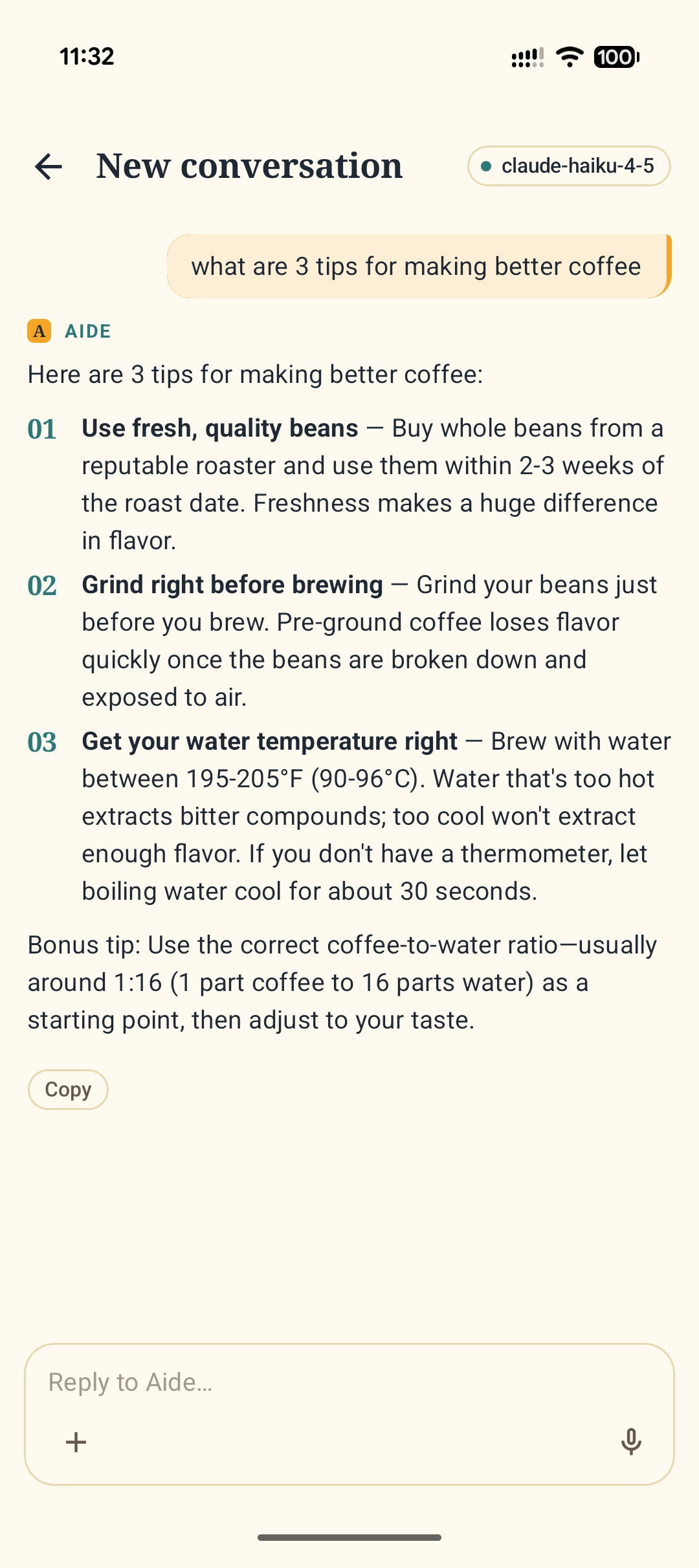
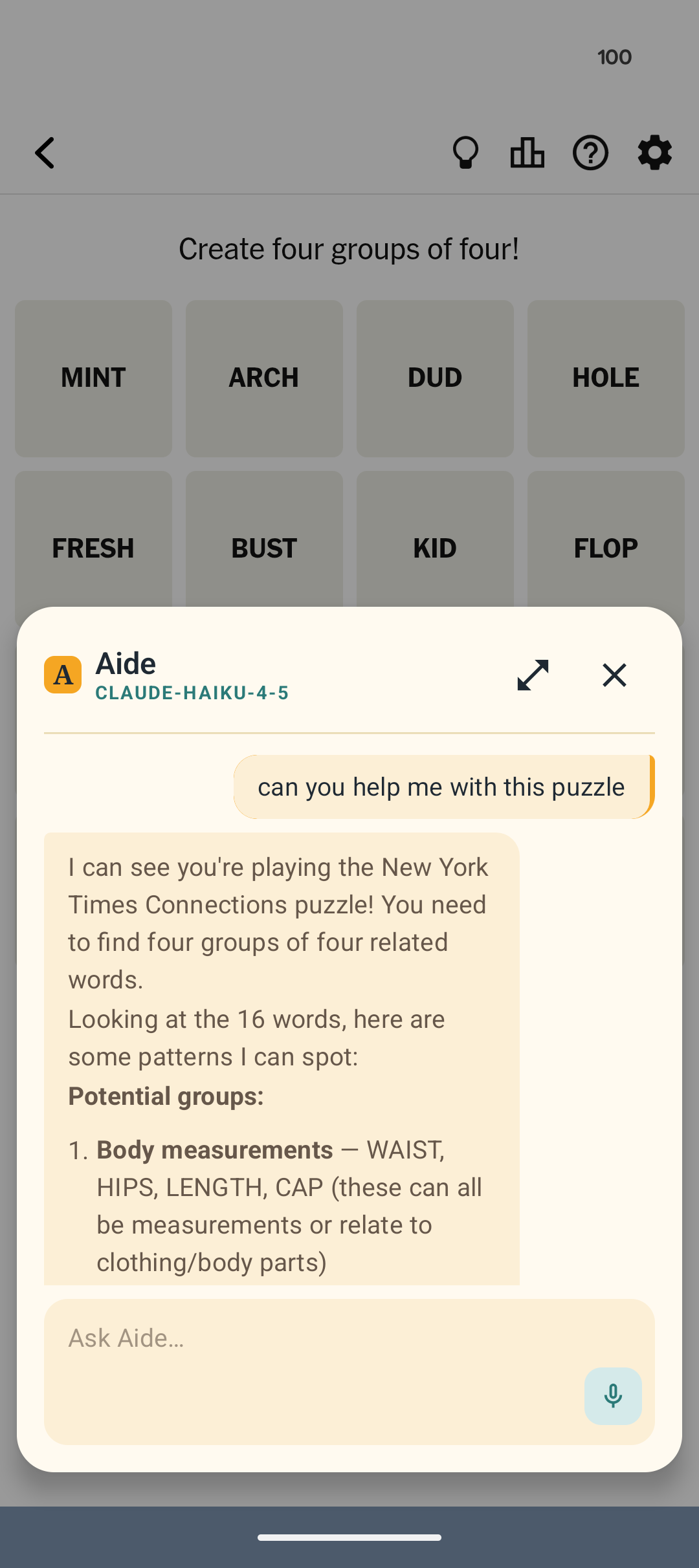
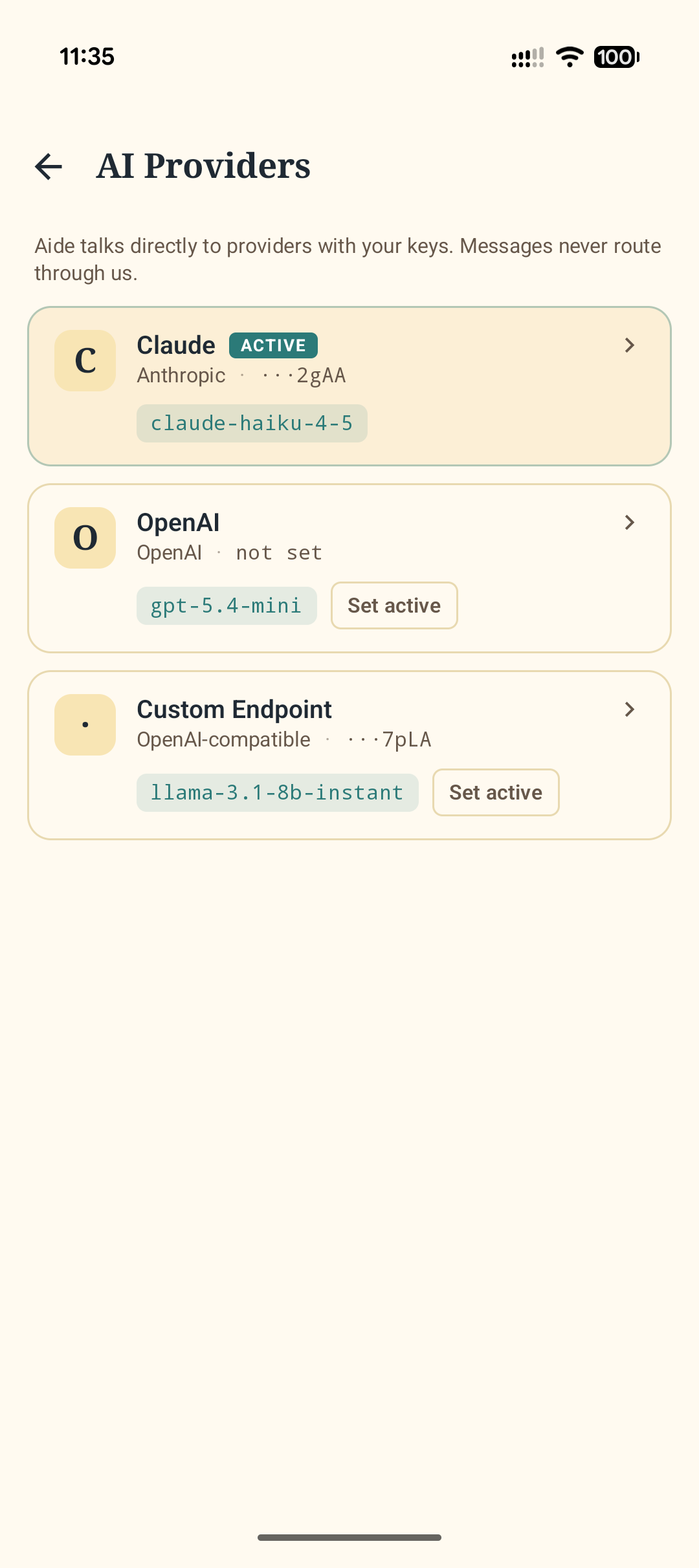
Aide replaces your default Android assistant and ships with a built-in AI model that runs entirely on your phone — no API key, no account, nothing leaves the device. Want more power? Bring your own key for Claude, ChatGPT, your local Ollama, or any OpenAI-compatible endpoint.
Chat, overlay, voice, and smart-home control — each surface tuned for how you actually use an assistant.
Conversation
Ask your assistant anything.
Your assistant
Replace Google Assistant. Invoke from anywhere — on top of anything.
Any provider
Your key, your model. Swap between them at any time.
On your device
With your permission, superpowered by living on your phone.
Why Aide
Your model. Your keys. Your device.
The opposite of locked-in. Start with the model in the box, or point Aide anywhere — the intelligence lives wherever you want it to.
A model in the box
Aide ships with a small AI model that runs entirely on your phone. Pick "Aide on-device" and you get private chat and web search with no API key, no account, and no data leaving the device — free, forever. Pair it with a cloud provider for the harder questions.
Any model
Aide on-device, Claude, ChatGPT, local Ollama, LM Studio, custom endpoints. Switch at any time.
Default assistant
Swipe from the corner, hold the power button, or voice-invoke — like the one it replaces.
Device actions
Send texts, set alarms, create events, call contacts, open navigation — all voice-driven, all confirmed.
Smart home
Connect to Home Assistant. Ask Aide to dim the lights or arm the alarm.
Keys encrypted on-device
API keys live in Android Keystore with AES-256 hardware-backed encryption. Conversations go straight from your phone to your provider — never through us.
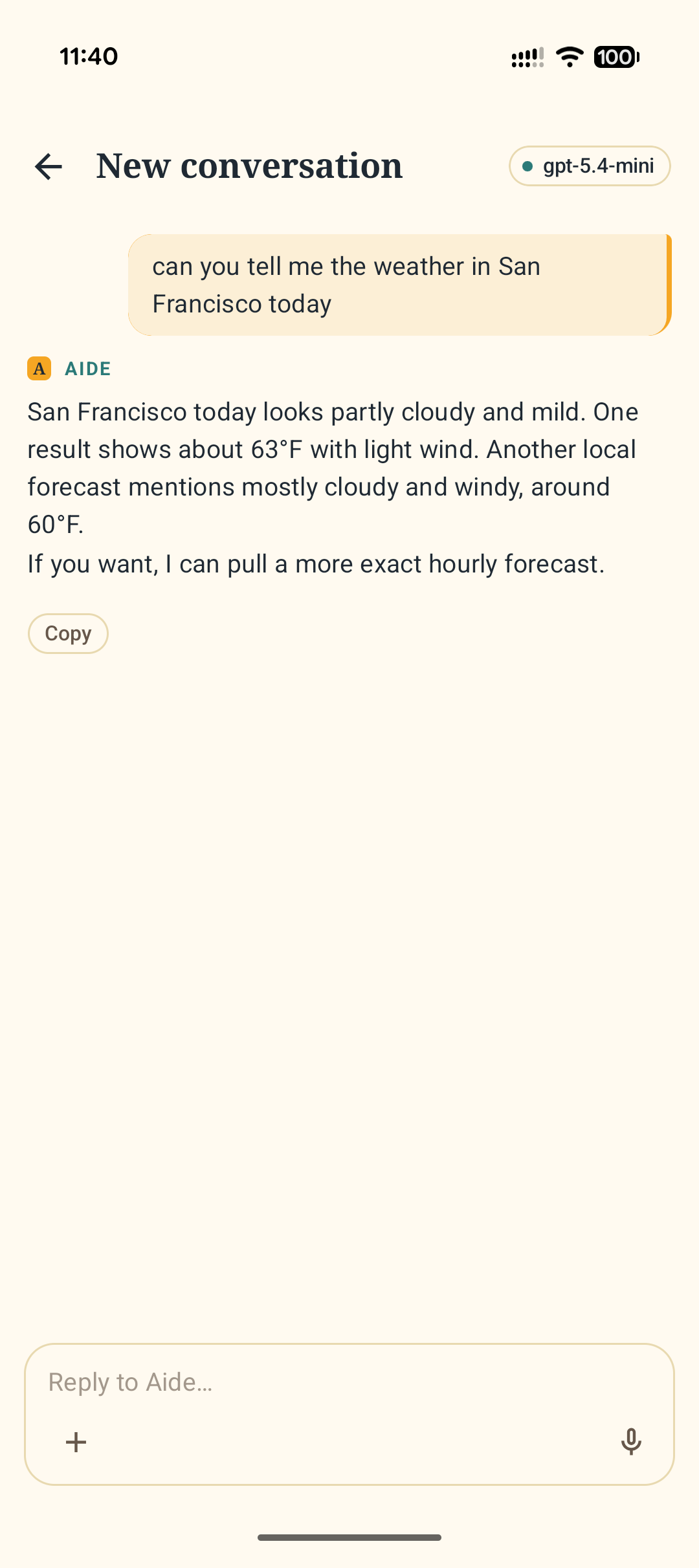
Real-time web, when it matters
Aide augments any model with live web search and URL fetching — even the on-device one. So "what's the weather" works without an API key, "summarize this article" works on GPT, and your local Ollama can suddenly read the internet.
Getting started
Three steps. Takes about a minute.
01
Pick your AI
Use the built-in on-device model — no key needed — or paste a key from Anthropic, OpenAI, or any OpenAI-compatible endpoint.
02
Set as default
Aide walks you through replacing the built-in assistant in Android settings — one tap away.
03
Talk or type
Swipe from the corner, hold power, or open the app. Your new assistant is ready.
Pricing
Free to use. One-time upgrade, no subscription.
The built-in model costs nothing to run. Cloud providers bill you directly through your own key — Aide never marks them up.
Free
Everything you need to replace your stock assistant.
$0
forever
On-device AI chat — no API key needed
Text chat with any provider
Multi-provider switching
Conversation history
Custom system prompt
Web search & URL fetching
Default-assistant integration
Pro
The unlock for voice, devices, and smart home. Every install starts with 5 days of Pro, free — no card, no sign-up.